Group Projects: Let the Students Manage Themselves!
A resource for educators
Large collaborative projects can feel daunting if you feel like you need to do everything, from establishing guidelines to prepping materials to managing student productivity. It’s a lot.
But students often relish the ability to work things out together, without an instructor butting in or micromanaging their productivity.
I find that handing off that managing mentality to the students helps make collaborative work more enjoyable for everyone. In a large classroom (with, let’s say, 30+ students), it’s also a necessity because it’s impossible to track what all of your students are doing on a micro level without losing your mind a little (at least, if you’re at all like me).
So, basically, you’re teaching the students about project management. In many cases, your students - depending on their age and past courses - probably already know about project mangagement. If you find out what their background knowledge and experience with project management is first, you’ll save yourself a lot of time because students who already know and/or use apps to track productivity can teach those who don’t. Just divide the “expert” students across small groups and turn them into group leaders.
But let’s assume your students haven’t managed a group project by themselves. What then?
Whatever you do, don’t skip this part. Unless your school is tiny and your students grew up knowing each other (and even then, they might not know each other as well as they could), most likely your students could use some bonding time. So see if you can allot at least 15 minutes of class time to just letting the students socialize with each other.
There are all types of activities that aren’t cheesy, so even more mature, college-aged students (and above) can commit to the activity. Here are just a few to choose from:
Make a playlist for the class and compare songs with each other (and other groups) so there aren’t any repeat songs
Have everyone take a team roles quiz and then discuss the results of the quiz as a way of determining roles in the group
Give a hypothetical scenario or problem and let the groups discuss what they would do (ex: everyone’s stranded on a deserted island with no tools or food or water - what do you all do? — this type of problem can also lead to a practical discussion on actual roles in the group)
From there, it’s time to get down to business…
Step 1: Group Bonding
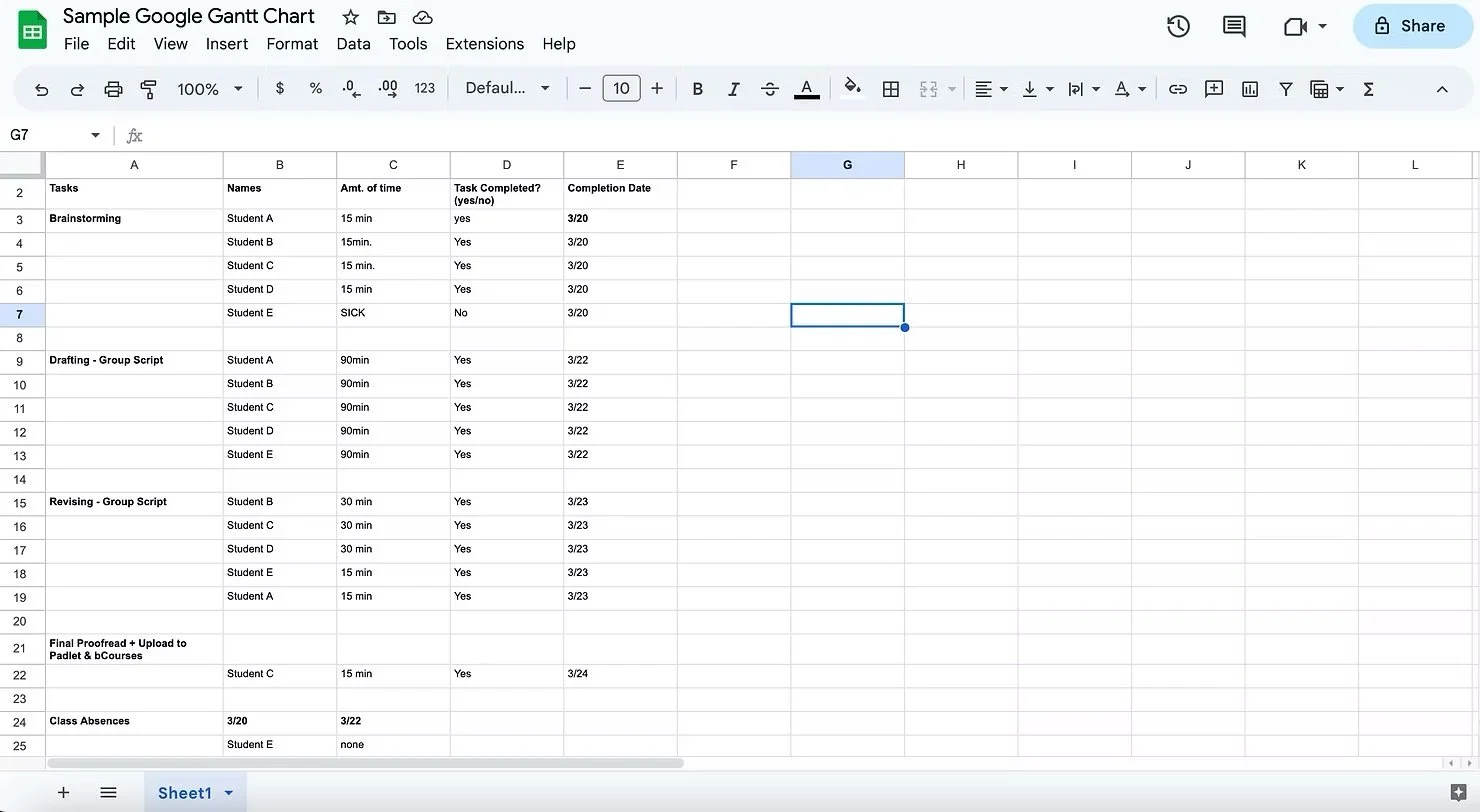
The Gantt Chart has been aroundfor a long time. These days, it’s become a common feature of productivity apps and programs like Asana and such, so you might be using a Gantt Chart and not even realize it.
At its core, the Gantt chart breaks projects down by activities or tasks, time frame for completion, as well as the person or people responsible for a task. Often, this is done through bar charts, but there are all sorts of ways to track whether a task or activity is being completed on time. It’s a great visualization tool that lets everyone understand, at a glance, where a project is working and where it’s not.
There are all sorts of options that you, as the instructor, can choose from — or you can present the options to a group and let them decide. Here’s a table to help you understand your options:
Step 2: The Gantt Chart
| Platform | Pros | Cons |
|---|---|---|
| Google-based Gantt chart or spreadsheet |
|
|
| Padlet |
|
|
| Slack, Asana, Monday, etc. |
|
|
Here’s an example of a Google-based Gantt chart:
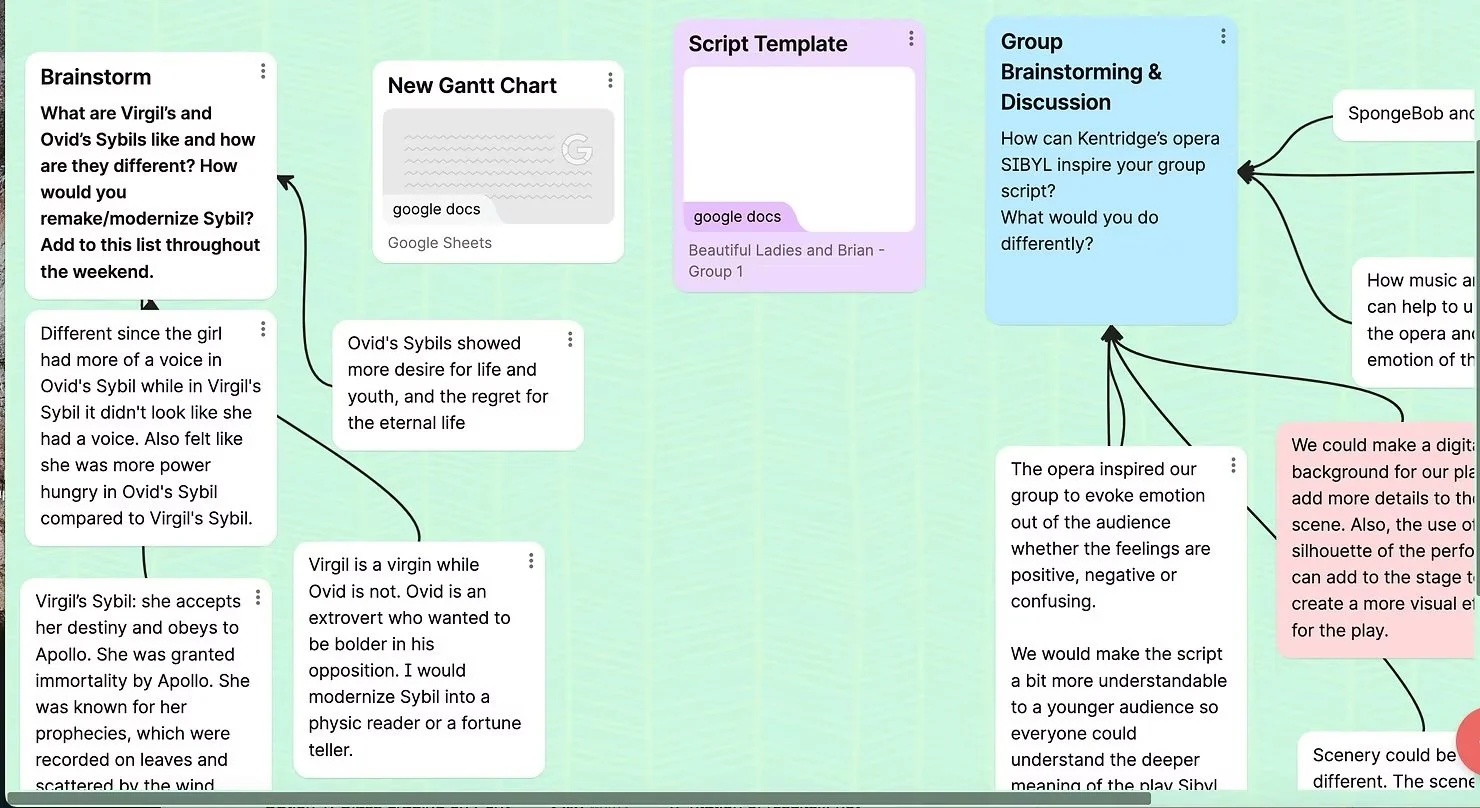
A sample group Padlet:
I prefer using a Google spreadsheet because its free, easy to share, and students often are already familiar with the program, but the reality is this: regardless of the platform you choose, you’ll need to set aside 10-15 minutes of class time to instruct students on how to set up a functional workspace that they can use to track their collaborative work.
Once they start brainstorming on their project (which often comes naturally if they’ve already had a group-bonding activity of some kind), you’re free to wander, listen in, and dispense advice to each group without worrying about whether the groups are on task, since you can check their Gantt Charts whenever you want (or leave the group to check each other since that’s the point of using the Gantt Chart).
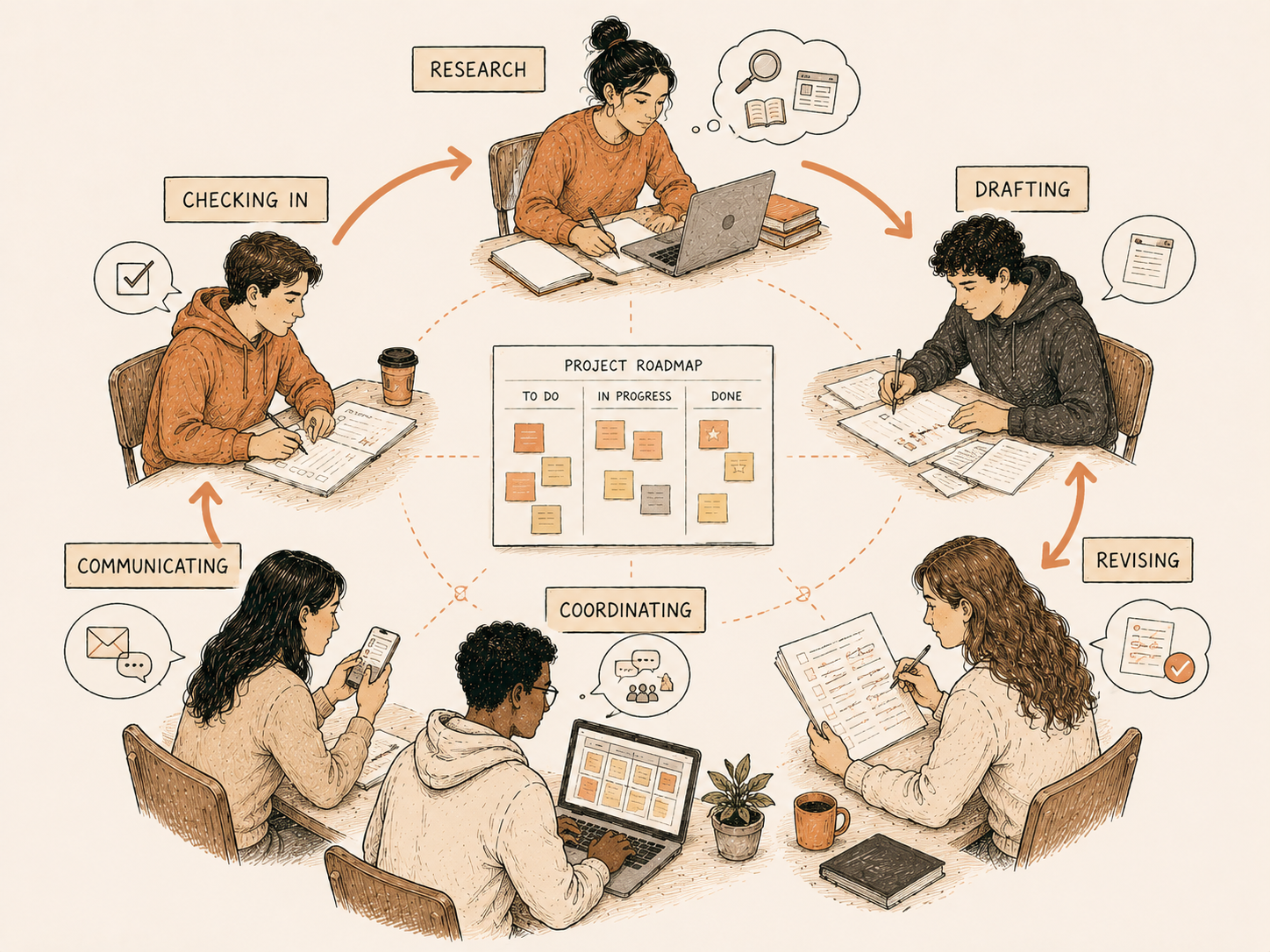
Allow either whole class periods or a portion of each class period to group work, so students have a chance to check in with each other, organize themselves, and finish tasks. This stage will depend on how much time you’ve allotted to the whole project and what process-oriented tasks students need to complete.
Some middle-stage tasks I like to set for students:
Completing independent research
Completing rough drafts
Completing revision drafts
Step 3: Let Them Work
Step 4: Final Stage
This stage is about turning in polished, final-draft work. You shouldn’t have to do much because, by this point, groups should be well on their way to completing their groupwork on their own.
You just need to set aside some class time, if you’re asking for groups to perform or present their work to you or the whole class.
After groups have turned in their projects, give students time (at minimum, 15 minutes of class time) to evaluate each other. If you want some tips on how to let students “grade” each other, take a look at Group Projects: Let the students grade!
Collaborative work of all types, but especially large projects, depend on group accountability. How can we guide students to be responsible to and for their groupmates? How can students outgrow their need for us, as micromanagers?
Of course, no set of resources or tools can guarantee that all students will participate in group work to generate amazing group projects. There will always be a group that doesn't gel or a project that fails.
However, the larger goal shouldn't be about the end product. It should be about shifting the work of accountability to students. Doing so will expose them to real-world expectations and methods to increase group productivity, and that will make them that much more prepared for a professional career.